Mac Office 365
Installation & Activation Guide
Step 1: Download & Install
1
Download from the App Store
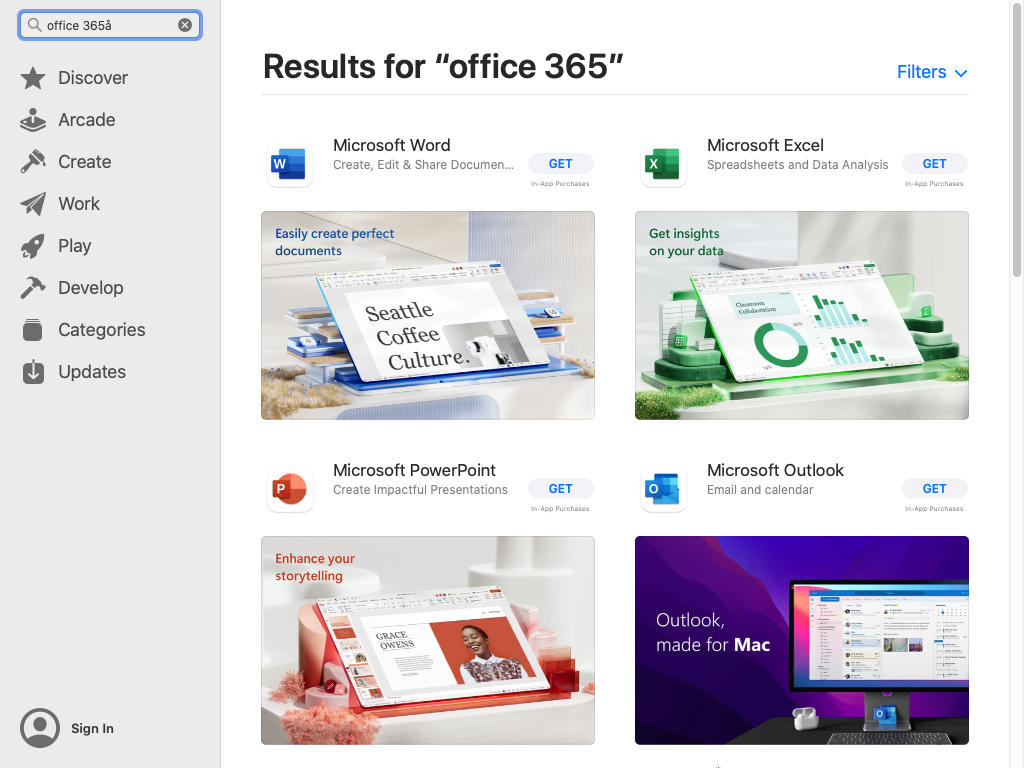
Open the App Store on your Mac and search for "Office 365", or install specific apps like Word, Excel, PPT.
Unable to install? Click here
Step 2: Sign In & Activate
2
Open an app and sign in
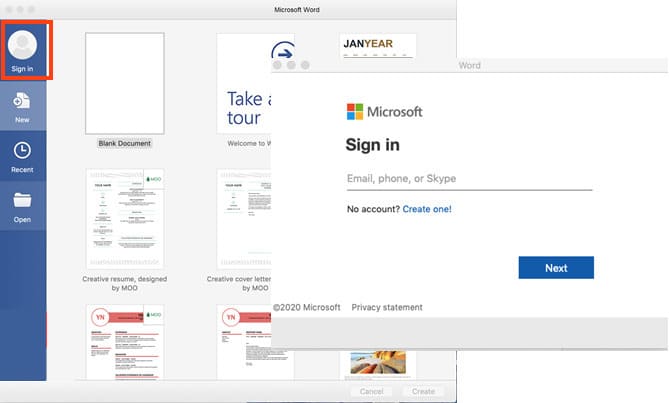
After installation, open any Office app (e.g., Word). Click "Sign in" and use your Microsoft account.
3
Enter your account info
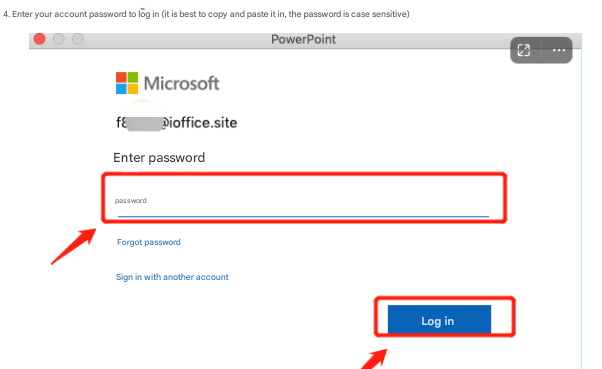
Tip: Copy and paste the password to avoid errors.
4
Change Password (First Time)
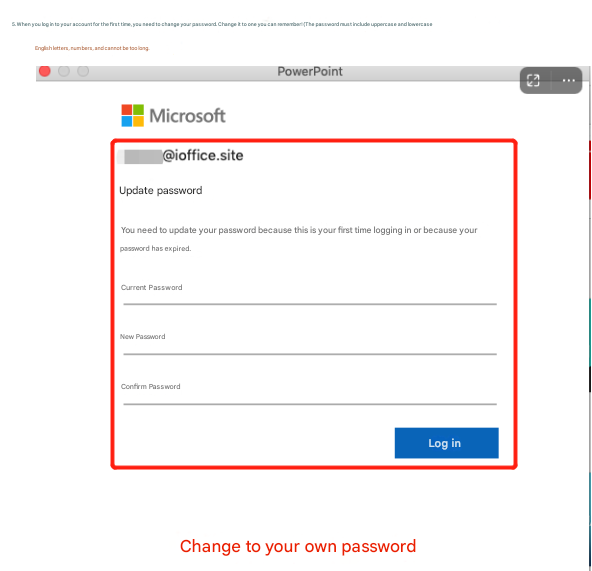
If prompted, create a new password (min 8 chars, mix of letters & numbers).
Step 3: Verify Activation
5
Check status
Click the app name (top-left) → "About Word". It should say "Product Activated".
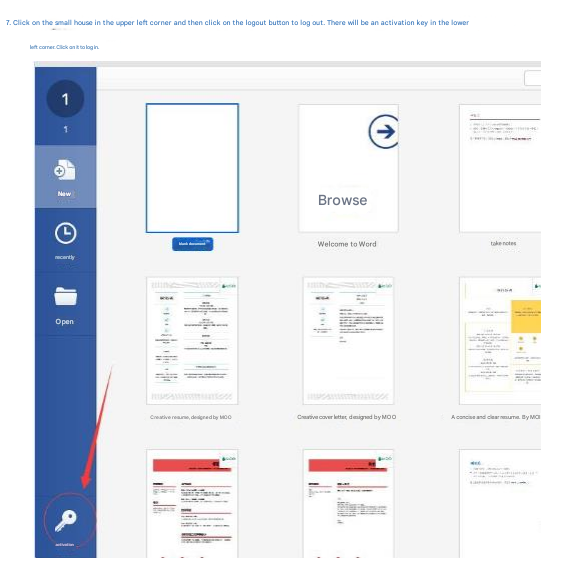
Troubleshooting: If not activated, click Avatar → Sign Out → Click the "Activate" key icon (bottom-left) → Sign in again.